Introducing Centra Auth
For buyers (retailers)
Why am I seeing this?
You may know Centra as the platform behind the wholesale showrooms for the brands you work with.
To provide a more secure and seamless experience across all your brand partnerships, we are introducing Centra Auth, a centralized login system.
What is changing?
The way you browse collections and place orders in Showroom remains exactly the same. The only change is how you log in.
When is this happening?
Centra Auth is being rolled out in phases:
- Optional Phase: You will be invited to update your login, but you can skip this for now.
- Mandatory Phase: Starting in January 2027, updating to Centra Auth will be required to access any Centra Showroom.
We recommend completing the update early to avoid interruptions later this year.
What are the benefits?
With Centra Auth, you can:
- Sign in with a password or social logins (Google or Microsoft).
- Access all your Centra-powered Showrooms with one single login.
- Enjoy a more secure and reliable authentication process.
How to update your login
Before you start, please note:
- Email inbox access: Ensure you have access to the inbox of the email address used for your login. You cannot complete the setup without it.
- No shared logins: We strongly recommend that each individual has their own login for security and auditability.
Step 1: Start the update in Showroom
- Go to the Showroom login page and enter your current email and password.
- Once in the Showroom, a notification will appear stating your account is ready to be updated.
- Select “Send activation email” to start.
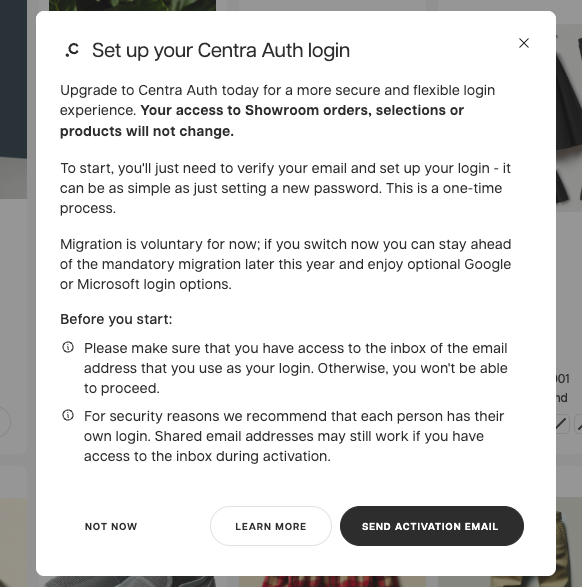
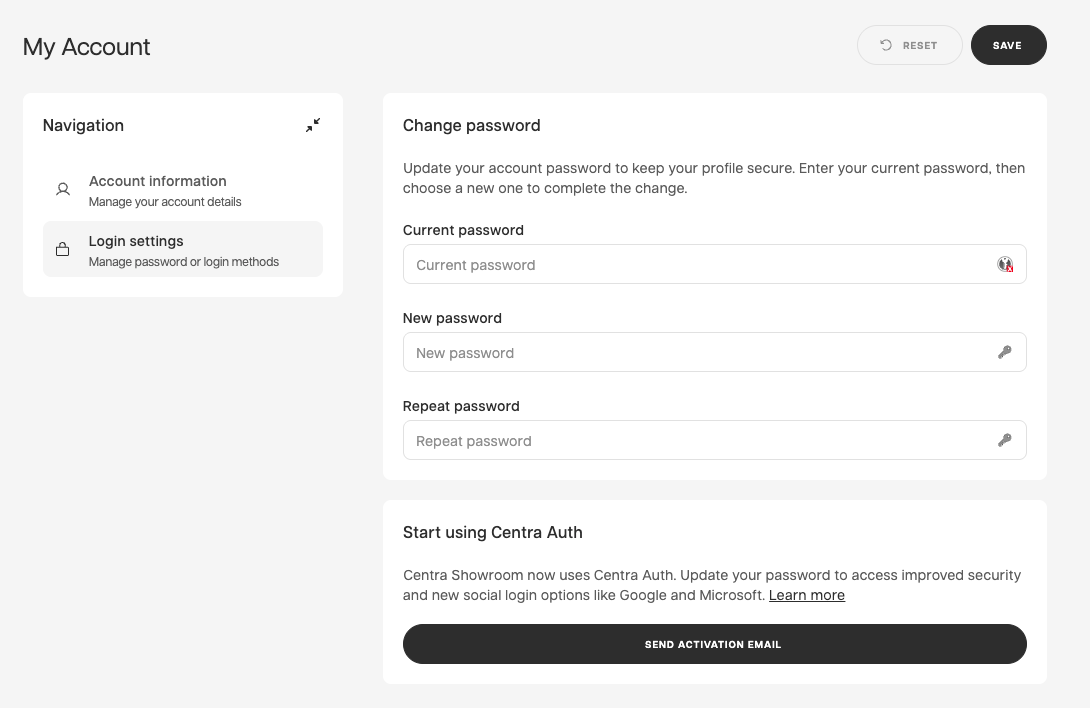
If you click “Not now,” you will continue to receive reminders. You can trigger the update later via the security icon in the upper right corner or in your login settings.
Step 2: Verify your email
You will receive an email with a verification link.
- Open the email and click the link to continue.
If you do not see the email, check your spam folder. If the problem persists, please contact support@centra.com.
Email example:
Subject: Set up your Centra Auth login for [Brand] Showroom

Hello Jane Doe,

We’re moving all Showroom accounts to Centra Auth for improved security.
This only affects how you sign in—your account data is safe.

How to activate: Please click the link below to verify your email,
then choose your preferred login method (password or social login).

[ Set up my login ]

This is a one-time link, valid for 48 hours.
Step 3: Choose how you want to sign in
After verifying your email, you can:
- Create a new password, or
- Choose a social login (Google or Microsoft).
Password Requirements:
- Minimum 14 characters (max 72).
- Cannot be similar to your email address.
- Avoid common patterns (e.g., "password" or "123456").
Once completed, you will be redirected back to Showroom. Your login will now apply to all the Showrooms you have access to.
What happens if I do not update right away?
Nothing will change immediately. You can continue using your existing login during the rollout period.
After the January 2027 deadline:
- You will be required to complete the update before signing in.
- The update only takes a minute and can be completed at the time of login.
Important: Active Email Required Centra Auth uses email verification to ensure security.
- The email address must be valid and reachable.
- Shared or fake email addresses cannot be used.
- If you cannot access your registered email, please contact the Brand to update your email address in the system before migrating.